Course settings
Course setting
Course settings
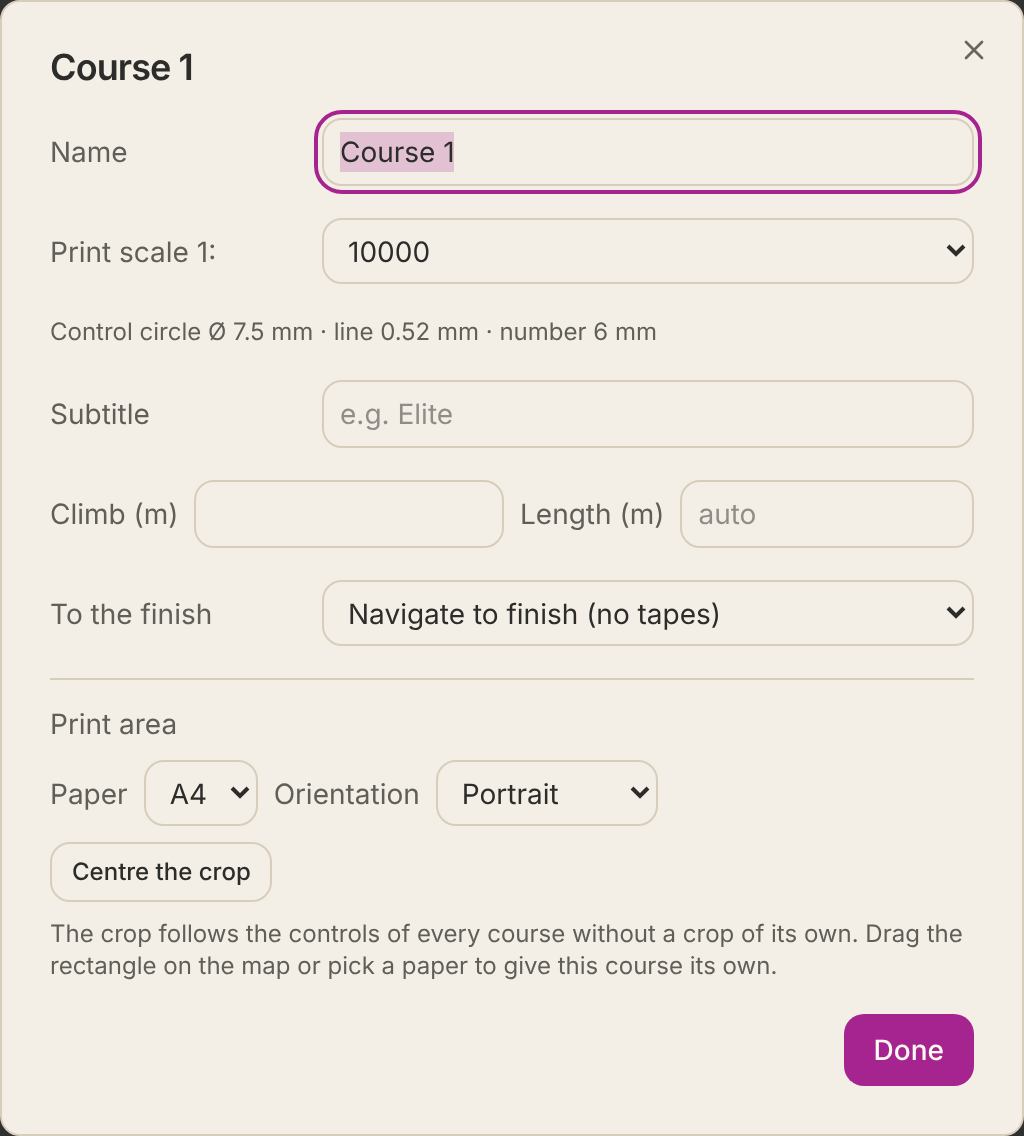
Click the course card with the pencil (✎) in the course panel to open the course settings.
- Name and subtitle
- Printed on the map and written into the exports.
- Start and Finish
- The codes for start and finish in IOF XML.
- Print scale
- The scale the course is printed at. It can differ from the map's, for example 1:7,500 for the youngest.
- Length and climb
- The length is calculated for you, as the straight line through the controls; type your own if you like. On a sprint map (ISSprOM) it is measured along the shortest sensible route instead, around buildings, impassable walls and fences and out-of-bounds areas, as ISSprOM requires; the status line then says along the shortest route, and the same length is shown on the map and in the exports. Work out length and climb along the best route choices shows the approximate running length along the fastest route choice on each leg, and the climb following the IOF definition: the total the routes climb. The map file holds no heights, so the contours' heights are worked out from slope lines, lakes, streams and closed contours, and each contour a route crosses going uphill adds one contour interval; where it cannot be told, the contour counts as half uphill. Use … m as the climb puts it in the field. A forked course is worked out for its first variation.
- Labelling
- Sequence number (1, 2, 3…), code number (32, 33…) or both (1-32, 2-33…). Advanced.
- To the finish
- No tapes, taped route to the finish, or a funnel.
- Print area
- Paper, portrait or landscape, and where the crop sits.